How to Track Your APA Continuing Education
APA members and APAC-BE certificants can track their continuing education (CE) activity in their Member Hub.
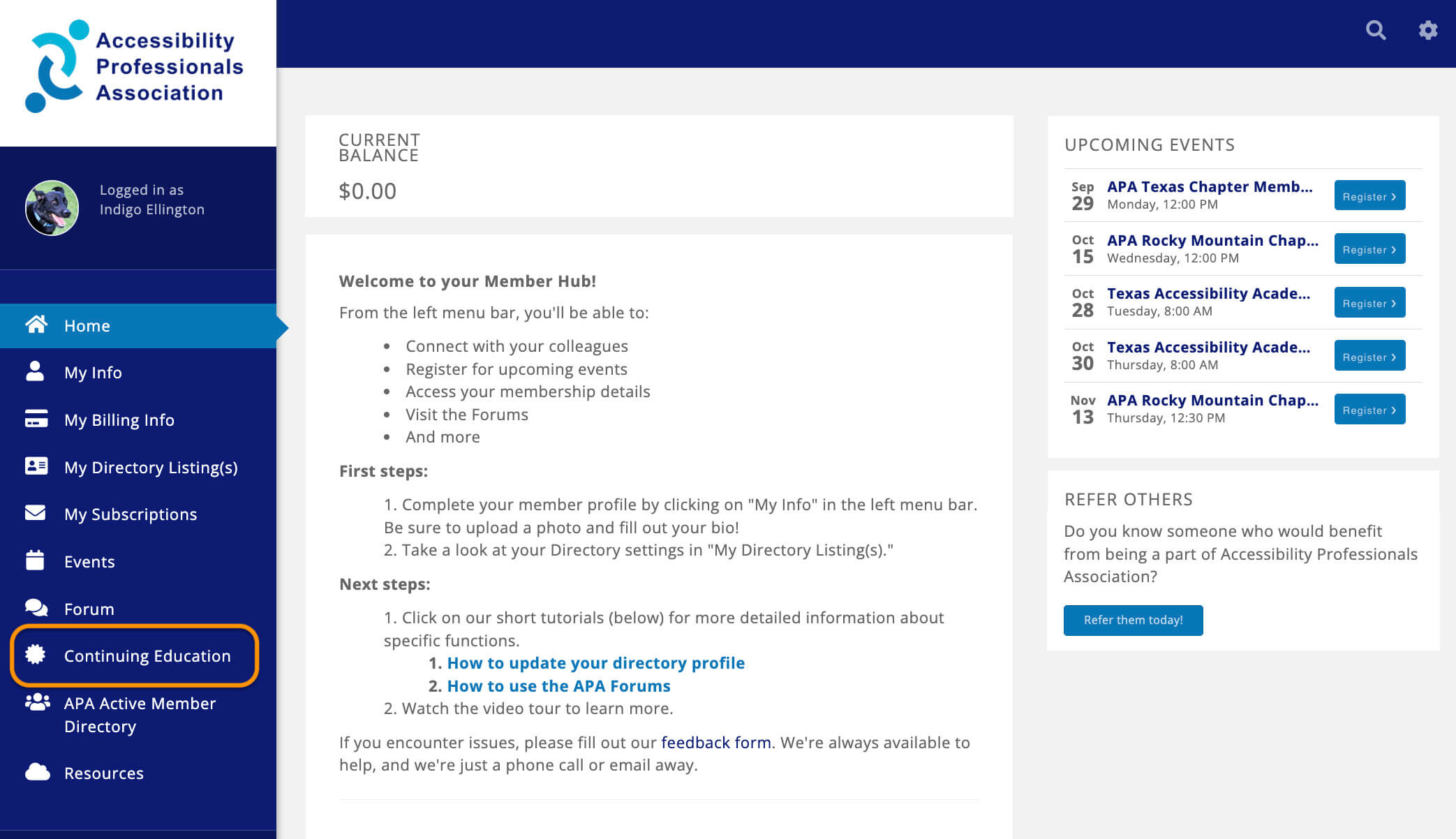
To track your CE, log in to the APA Member Hub and select Continuing Education in the left sidebar.
Once you are on the Continuing Education page, you will see CE information specific to your activity.
At the top of the page, you will see three tabs: Overview, Activity, and Search Continuing Education Catalog. Please note that only the Overview tab is currently in use by APA; the other two tabs can be disregarded.
In the Overview tab, there are three sections: Upcoming Continuing Education Events, My Continuing Education, and My Continuing Education Activity.
- In Upcoming Continuing Education Events, you will find a list of upcoming events you can register for.
- The My Continuing Education section may be difficult to interpret. The labels in this table are a function of our association management software and are not customizable to reflect the terminology specific to APA and APAC. For assistance with this table, refer to the Reading the My Continuing Education Table section below. If you have more questions, please email EducationDirector@APAaacess.org.
- The My Continuing Education Activity section has a scrollable list of your APA CE activity.
Reading the My Continuing Education Table
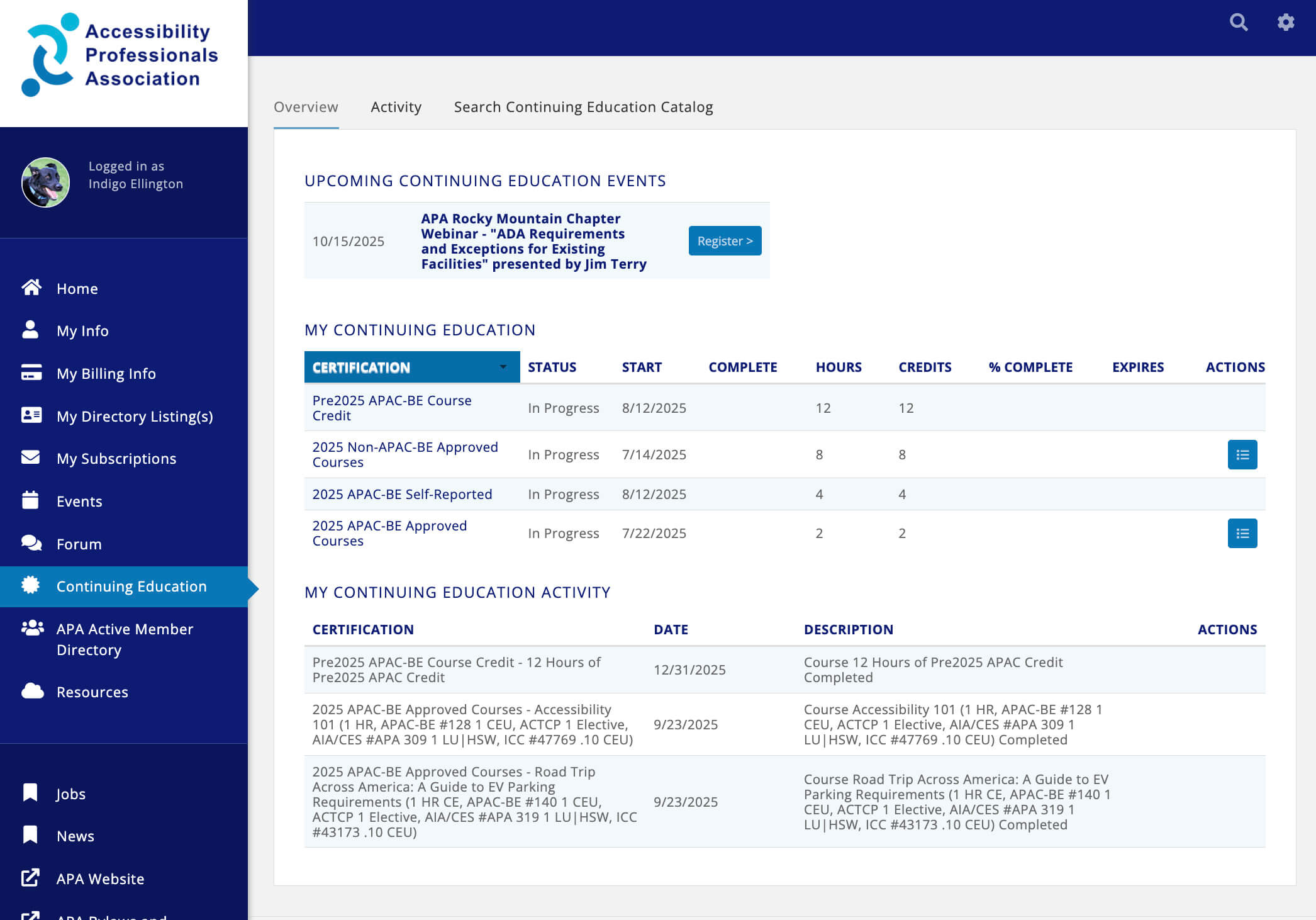
The table header includes the following labels: Certification, Status, Start, Complete, Hours, Credits, % Complete, Expires, and Actions.
- Certification: The term used here does not align with APA terminology. The items in this column are not certifications but rather a grouping of courses by time period, such as [YEAR] Non-APAC-BE Approved Courses and [YEAR] APAC-BE Approved Courses.
- For APAC-BE certificants: The system tracks APAC credit from before the 2025 software migration (Pre2025 APAC-BE Course Credit), as well as self-reported, APAC-approved credits that are not APA courses ([YEAR] APAC-BE Self-Reported).
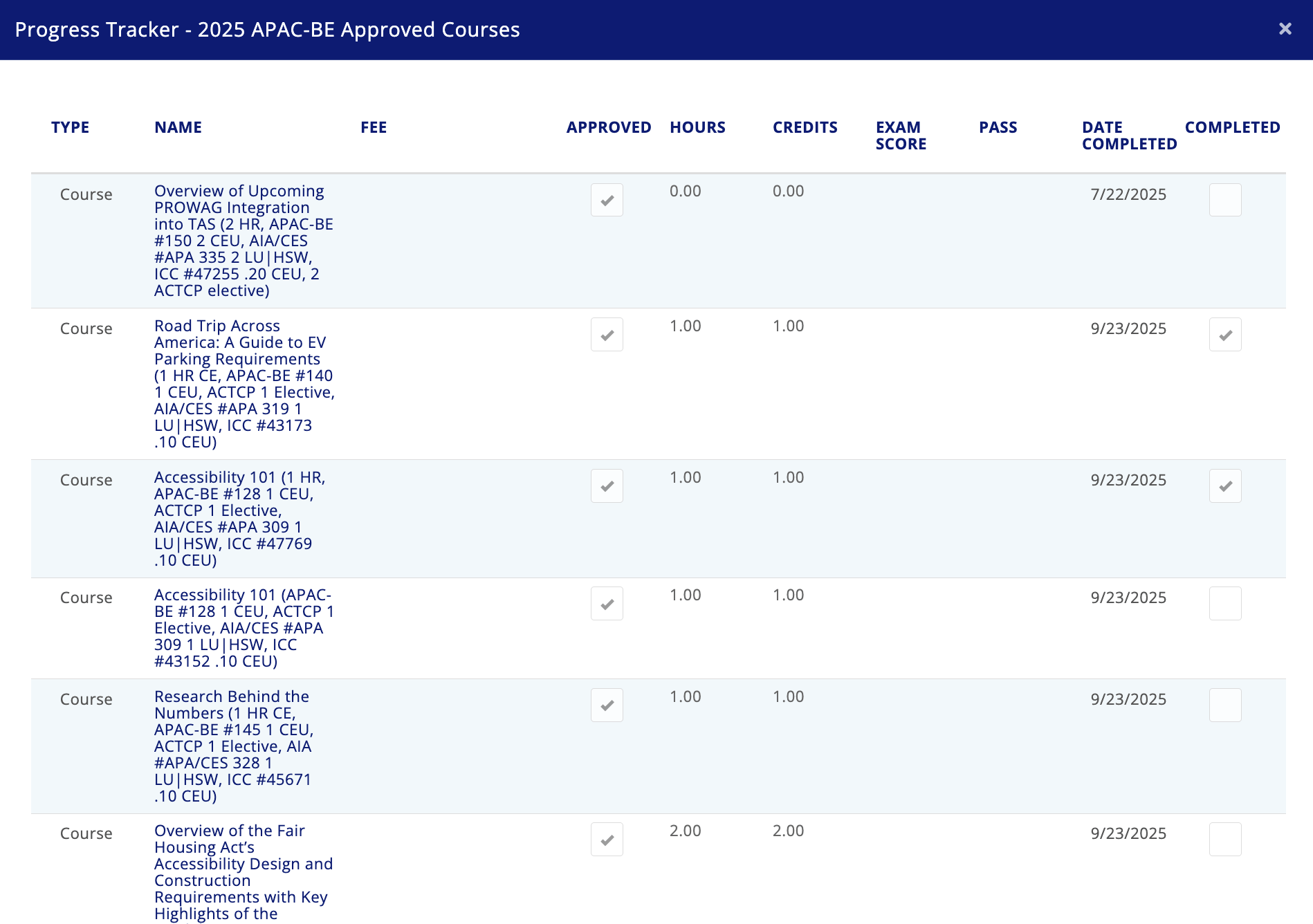
- The listings in the Certification column are hyperlinks. Clicking on one will take you to the progress tracker for that specific group of courses. For example, if you click on 2025 APAC-BE Approved Courses, you'll see a list of all potential courses for that group. The courses you have completed will be marked as "Completed" in the last column.

- Status: Not used by APA; this field will most likely say “In Progress.”
- Start & Complete: These fields are not used by APA. Start will be populated by the system when you enroll in a class or submit APAC self-reported credit.
- Hours & Credits: The data in these two columns should be the same, as one course hour equals one CE credit.
- % Complete & Expires: Not used by APA.
- Actions: Used by APA to provide access to certificates for APA courses. See How to Download Certificates for APA Courses below.
Downloading Certificates for APA Courses
To download your APA course completion certificates, follow these steps:
- In the My Continuing Education section, click the blue icon in the Actions column for the course(s) you want to download.
- A pop-up window will appear with a list of downloadable certificate files.
- Click on the file you wish to download. The download will begin automatically.